
Introduction
Voice AI has come a long way. A few years ago, talking to a computer meant waiting through awkward pauses and repeating yourself. Today, a good AI voice agent can hold a natural conversation, answer follow-up questions, and pull live data from your systems while you talk.
If you want to build one yourself, you have two main choices. You can use a hosted platform like Retell AI or Vapi, or you can build it with a framework like LiveKit Agents, where you write the agent in Python and control every part of it.
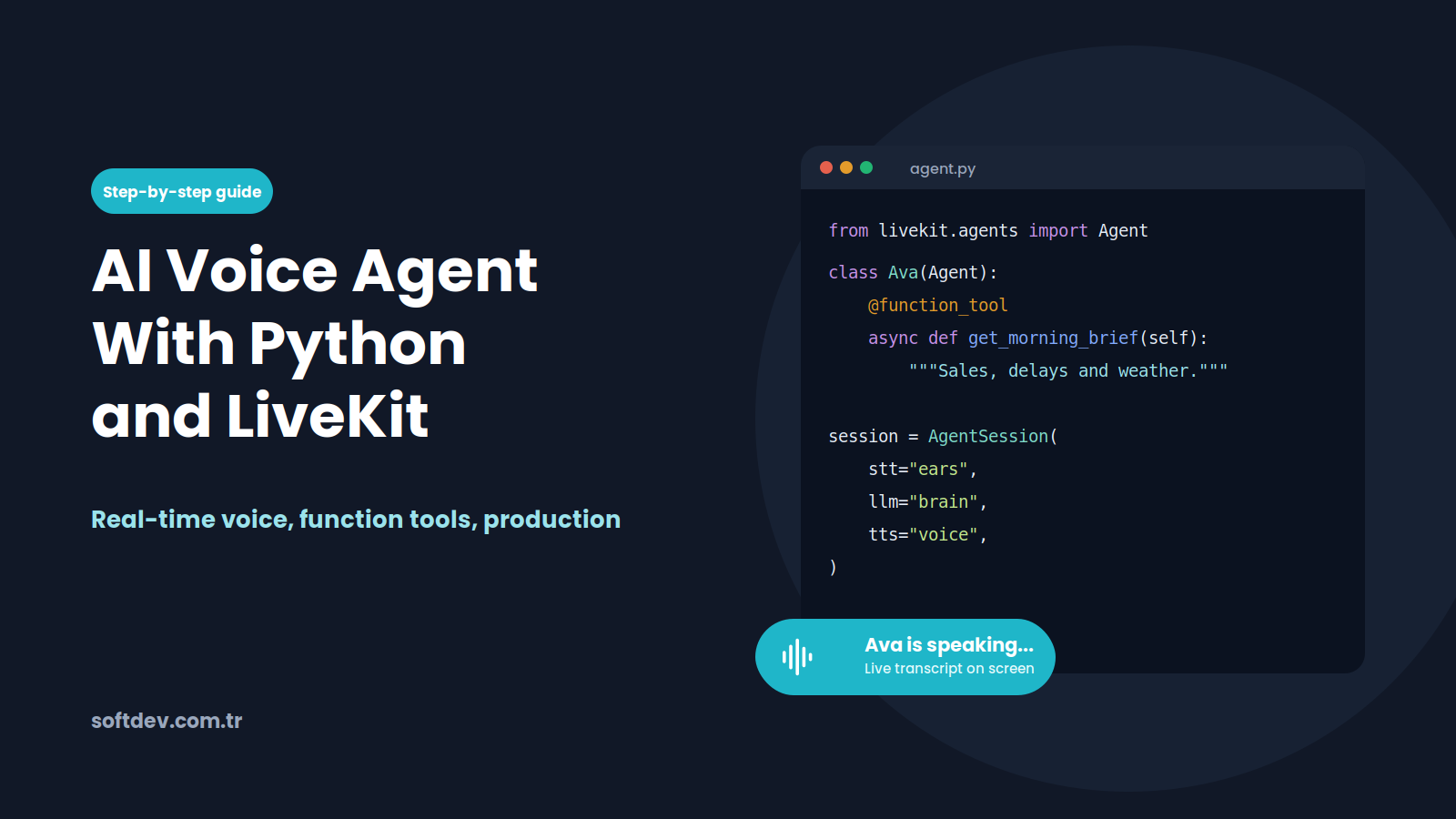
In this guide, we explain how LiveKit voice agents work in plain language, walk through building one in Python, and share how we built Ava, a voice agent that reads managers a daily business brief and answers their questions, all by voice.
What is LiveKit?
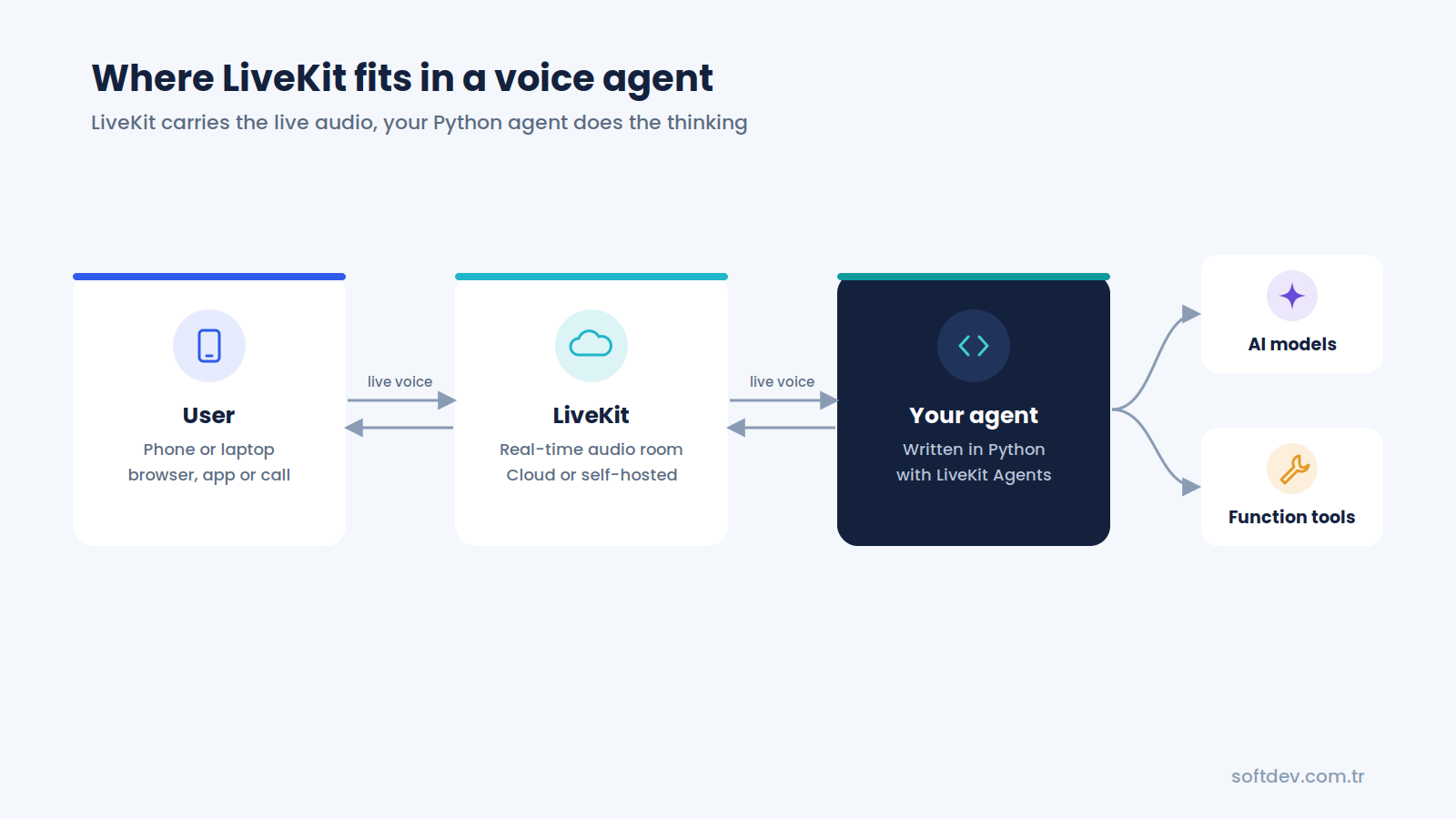
LiveKit is an open-source platform for real-time audio and video. It handles the hard parts of sending live voice between people and devices, like keeping latency low and dealing with bad network connections.
On top of that, LiveKit offers LiveKit Agents, a framework for building AI agents that join those live conversations. Your agent joins a "room" just like a human participant would. It listens to the user, thinks, and talks back in real time.
You can run LiveKit in two ways:
- LiveKit Cloud. LiveKit hosts the real-time infrastructure for you, so you only write and run your agent.
- Self-hosted. You run the LiveKit server yourself, which gives you full control over where your data goes.
According to LiveKit's own quickstart, you can have a basic voice assistant running in less than 10 minutes, and you can talk to it in your terminal, a browser, a phone call, or a mobile app (LiveKit docs).
How a LiveKit voice agent works
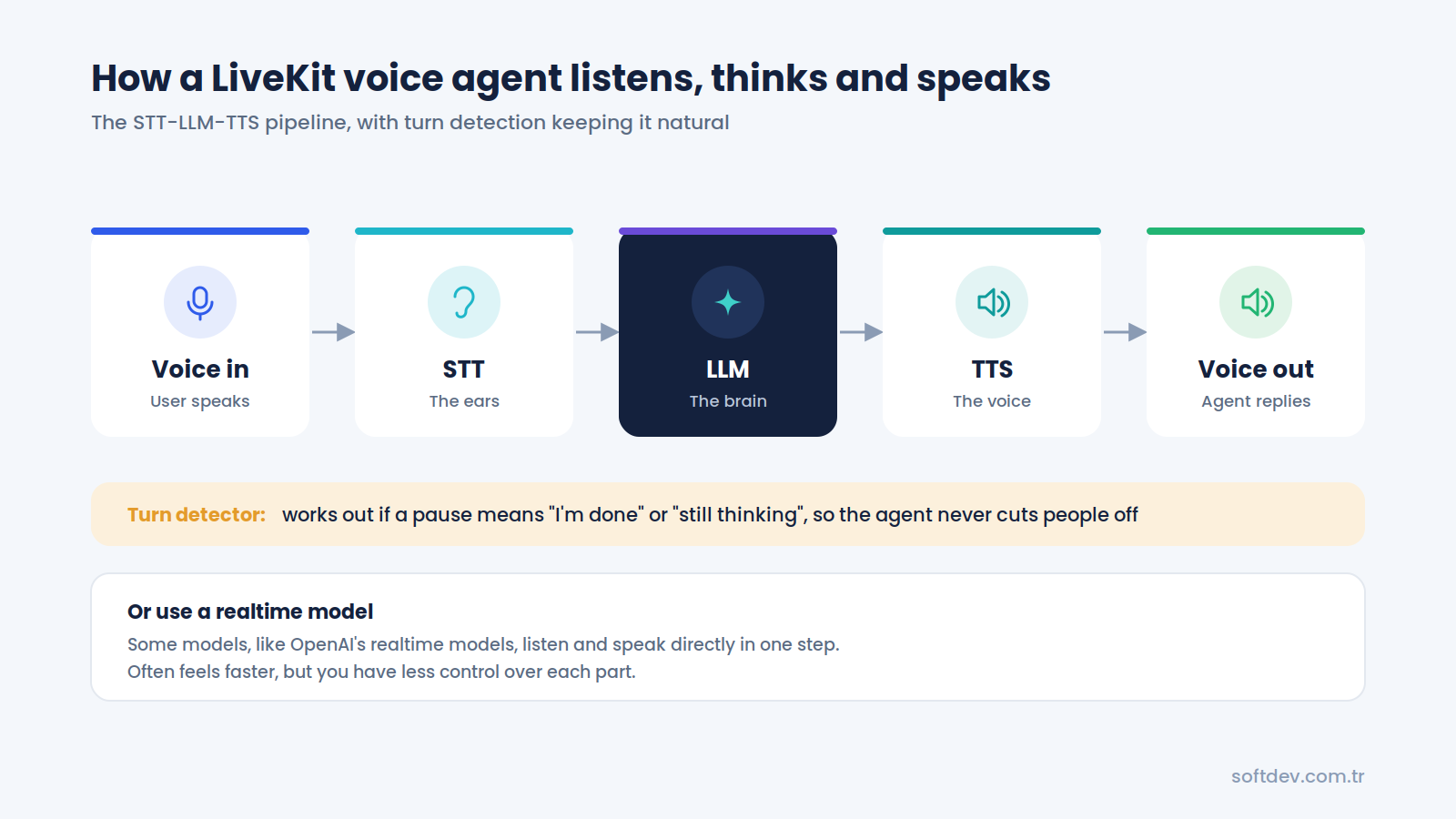
Every LiveKit voice agent needs to do three things: listen, think, and speak. LiveKit Agents supports two ways to do this (LiveKit docs).
Option 1: The STT-LLM-TTS pipeline
This is the most common setup. It chains three specialized models together:
| Part | What it does | Simple way to think about it |
|---|---|---|
| STT (speech-to-text) | Turns the user's voice into text | The agent's ears |
| LLM (large language model) | Reads the text and decides what to say or do | The agent's brain |
| TTS (text-to-speech) | Turns the reply into a natural voice | The agent's mouth |
The big advantage is choice. You can pick the best speech model, the best AI model, and the best voice separately, and swap any of them later.
Option 2: A realtime model
Some newer models, like OpenAI's realtime models, can listen and speak directly without separate STT and TTS steps. This can feel even faster and more natural, but you have less control over each part.
Turn detection: knowing when to talk
The hardest part of a voice conversation is not understanding words. It is knowing when the other person has finished speaking. If the agent jumps in too early, it cuts people off. If it waits too long, the conversation feels slow.
LiveKit handles this with voice activity detection and a turn detector model. Together, they work out whether a pause means the person is done, or just thinking mid-sentence.
Building your first agent in Python
Here is the basic process for getting a LiveKit voice agent running. LiveKit's docs and starter project fill in every detail, so treat this as a map of the steps.
Step 1: Check your setup. LiveKit Agents needs Python 3.10 or newer. LiveKit's quickstart uses the uv package manager, but pip works too.
Step 2: Create a LiveKit project. Sign up for LiveKit Cloud (or set up a self-hosted server), install the LiveKit CLI, and save your project's URL, API key, and API secret in a .env.local file.
Step 3: Install LiveKit Agents. Install the livekit-agents package, plus plugins for any AI providers you want to use.
Step 4: Write your agent. An agent is a Python class with instructions. An AgentSession connects it to the models that let it listen, think, and speak. A simplified version looks like this:
from livekit.agents import Agent, AgentSession, inference, TurnHandlingOptions

class Assistant(Agent):
    def __init__(self):
        super().__init__(
            instructions="You are a friendly voice assistant. "
                         "Keep your answers short and clear."
        )

session = AgentSession(
    stt=inference.STT(model="deepgram/nova-3"),        # ears
    llm=inference.LLM(model="openai/chat-latest"),     # brain
    tts=inference.TTS(model="cartesia/sonic-3"),       # voice
    turn_handling=TurnHandlingOptions(
        turn_detection=inference.TurnDetector()       # knows when to talk
    ),
)
In the full version, this code runs inside an entrypoint function that starts the session in a LiveKit room. LiveKit's Python starter project includes that boilerplate, so the easiest path is to start from it.
Step 5: Talk to it. Run the agent in development mode, then open LiveKit's Agent Console or Agents Playground in your browser and start talking.
Step 6: Improve the instructions. Most of the work after this point is writing clear instructions and testing real conversations, not writing more code.
LiveKit's APIs evolve quickly, so always check the official quickstart for the latest code before you build.
Giving your agent tools
A voice agent that can only chat is not very useful. The real value comes when it can take action or fetch real information. In LiveKit Agents, you do this with function tools.
A function tool is a normal Python function that you mark with the @function_tool decorator. The AI model reads the function's name and description, and calls it when the user asks for something it can help with.
from livekit.agents import function_tool

@function_tool
async def get_todays_sales() -> str:
    """Get today's total sales from the company dashboard."""
    # Call your own API here
    return "Today's sales are 42,300 dollars."
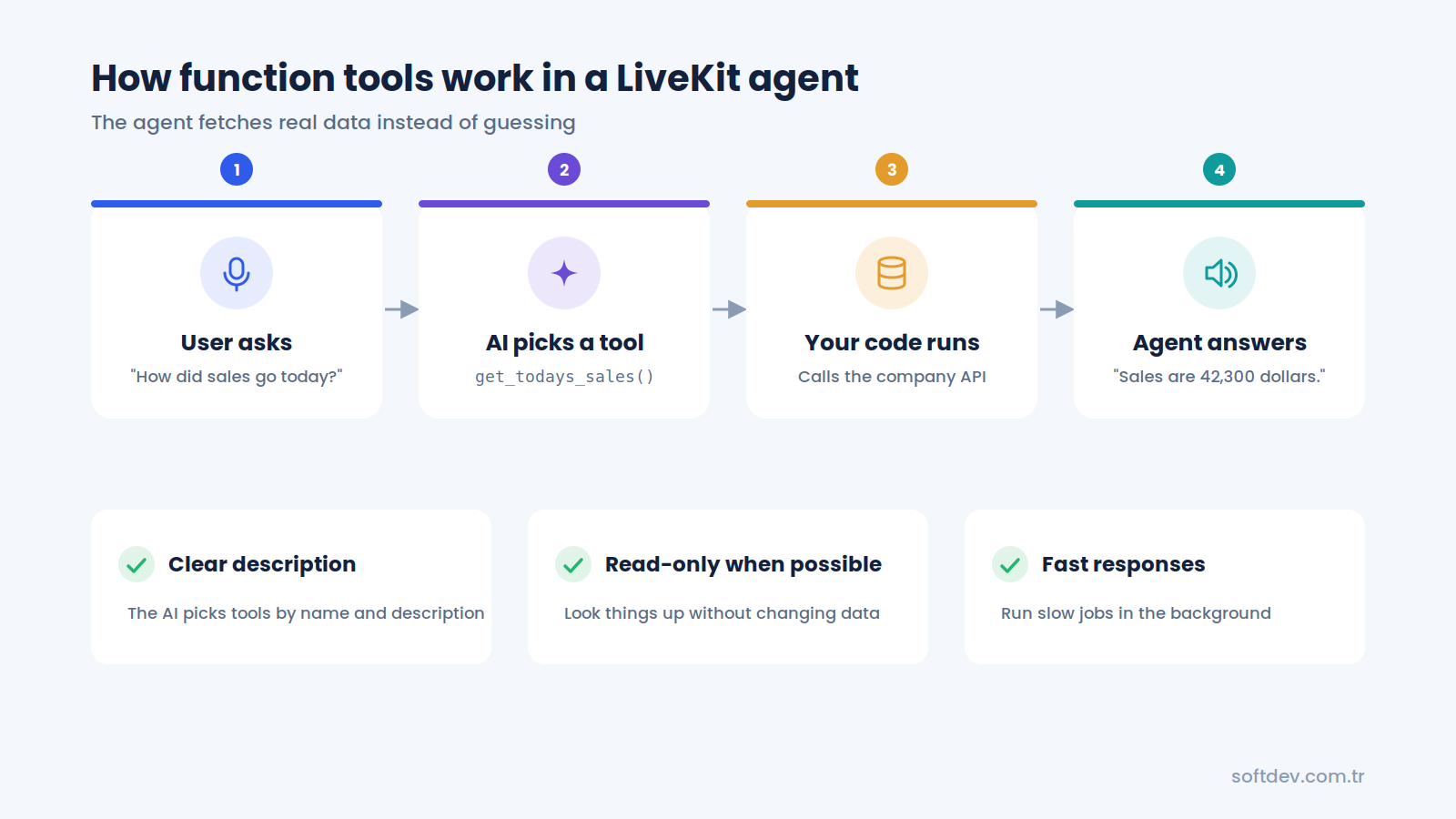
Now, when a user asks "How did sales go today?", the agent calls this function, gets the real number, and says it out loud. It does not have to guess.
Good function tools have three things in common:
- A clear description. The AI picks tools based on their descriptions, so be specific.
- Read-only when possible. If the agent only needs to look things up, do not give it tools that change or delete data.
- Fast responses. Voice users notice delays. Slow jobs should run in the background while the agent keeps talking.
Taking it to production
Getting an agent to work on your laptop is the easy part. Making it reliable for real users takes a bit more planning.
Run it as an always-on service. In production, you start the agent in production mode and run it as a service on a server, so it restarts by itself after a crash or reboot. LiveKit Cloud can also host your agent for you.
Control who can join. Users connect to your agent through a LiveKit room. Your server should check who they are first, then give them a short-lived access token for a private room, so random people cannot use your agent.
Handle bad connections. Mobile users walk into elevators and lose signal. Plan for this by letting the agent wait for the user to reconnect, instead of ending the call the moment the connection drops.
Test conversations before every release. Small changes to instructions can change how an agent behaves. Automated conversation tests that simulate real users help you catch problems before your users do.
Connect phone calls if you need them. LiveKit supports telephony through SIP, so the same agent can answer phone calls, not just browser or app calls.
Keep secrets out of the code. Store API keys in environment variables, and sign any webhooks your agent sends, so other systems can trust the requests really came from your agent.
LiveKit vs hosted voice platforms
LiveKit is not the only way to build a voice agent. Hosted platforms like Retell AI and Vapi let you build one with much less code. Here is how they compare.
| LiveKit Agents (Python) | Hosted platforms (Retell AI, Vapi) | |
|---|---|---|
| How you build | Write the agent in Python code | Mostly configure it in a dashboard |
| Time to first agent | Quick to start, longer to polish | Usually faster |
| Control | Full control over models, logic, and data flow | Control within the platform's features |
| Custom tools and APIs | Any Python code you can write | Webhooks and built-in integrations |
| Hosting | LiveKit Cloud or your own servers | The platform's cloud |
| Open source | Yes | No |
| Best for | Custom agents with complex logic or strict data needs | Standard receptionist and sales agents |
Choose LiveKit if you have a developer, need custom logic or many tools, want to host everything yourself, or are building voice into your own product.
Choose a hosted platform if you want a standard AI receptionist or appointment setter live quickly, and you do not want to maintain code.
Both paths can produce excellent voice agents. The right choice depends on how custom your agent needs to be and who will maintain it.
Real example: Ava, our morning brief voice agent
We built Ava, a real-time voice agent using LiveKit Agents and Python, as a working prototype for a sample freight and warehousing company called Harbor Point Logistics. It shows how managers could skip checking several systems every morning and just ask for an update instead (project page). All the company data in the prototype is sample data.
Instead of opening dashboards, a manager opens a call page on their phone or laptop and simply asks Ava. She reads a short spoken brief on sales, delays, urgent tickets, and meetings, and answers follow-up questions in plain language. The speech-to-text, AI model, and voice all run through LiveKit Inference, so no extra accounts are needed.
Here is how it works:
- Secure sign-in. The user enters a team passcode once. The server checks it and gives them a short-lived LiveKit token for a private call room.
- Voice conversation. LiveKit sends Ava into the call. The user's speech is turned into text in real time, and a turn detector makes sure Ava does not cut them off mid-sentence.
- Function calling. The AI model decides which tool to use and fetches real data from a read-only company API, a knowledge base, and live weather and time. It never makes up numbers.
- Claude webhook. For deeper analysis, Ava sends a signed webhook to a Claude skill. It runs in the background while she keeps talking, and she reads the result when it arrives.
- Spoken answer and hang-up. Ava replies in a natural voice with a live transcript on screen. When the user is done, she says goodbye, ends the call, and saves it to the call history.
- Always-on deployment. The agent and call page run as services on an Ubuntu server with HTTPS, so they restart by themselves after a crash or reboot.
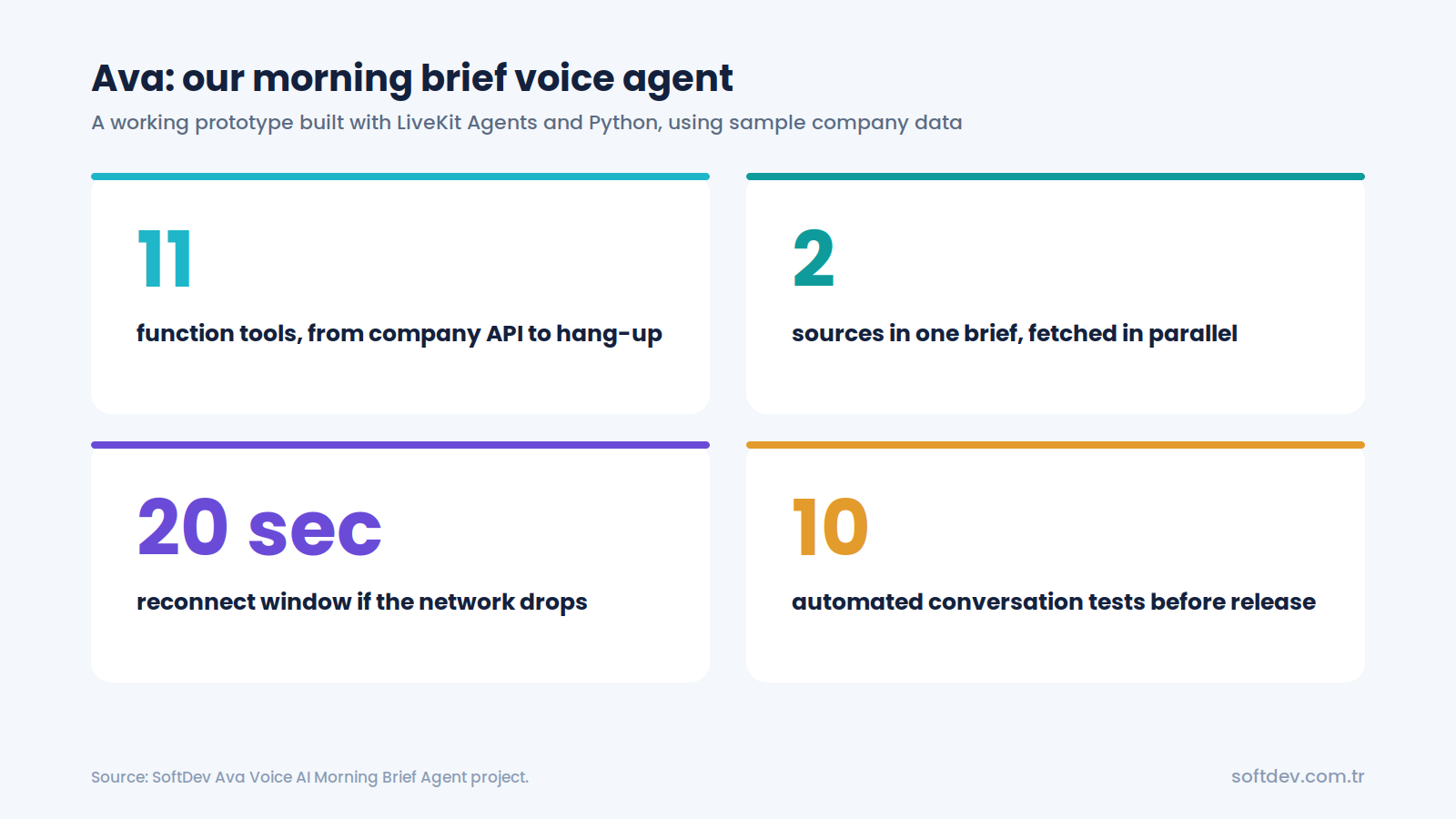
Here is what the build includes:
| Result | What it means |
|---|---|
| 11 function tools | Company API, knowledge base, live weather, time, Claude analysis, and hang-up |
| Daily brief from 2 sources | Company data and live weather are fetched in parallel in a single tool call |
| 20-second reconnect window | Calls survive network drops, because Ava waits for the caller to reconnect |
| 10 automated conversation tests | Simulations check Ava's behavior before every release |
The prototype shows what this kind of agent can do for a real business: managers get the morning update hands-free, even while driving, and can ask follow-up questions without opening a single dashboard. Company data stays safe, because Ava can only read data, never change it, and every Claude request is signed.
The code for this project is available on GitHub.
Conclusion
LiveKit Agents makes it possible to build a real-time AI voice agent in Python that feels natural to talk to. It handles the hard parts of live audio, while you focus on what the agent should know and do.
The core idea is simple: the agent listens, thinks, and speaks, with turn detection keeping the conversation smooth. Function tools are what turn it from a chatbot into something genuinely useful, because they let it fetch real data and take real actions.
If you need a standard AI receptionist, a hosted platform may get you there faster. But if you need custom logic, many tools, full control over your data, or voice built into your own product, LiveKit and Python are a great fit.
Frequently asked questions
Is LiveKit free?
LiveKit and the LiveKit Agents framework are open source, so you can self-host them for free and only pay for your servers and AI models. LiveKit Cloud is a hosted option that runs the real-time infrastructure for you, and you can start with a free account.
Do I need to know Python to build a LiveKit voice agent?
Yes, for the Python version. LiveKit Agents also supports Node.js. LiveKit offers a no-code Agent Builder for quick prototypes in the browser, but it has fewer features than the full SDK.
Which AI models can I use with LiveKit?
Many. LiveKit supports a wide range of speech-to-text, LLM, and text-to-speech providers, plus realtime speech-to-speech models like OpenAI's realtime models. You can mix and match them.
Can a LiveKit agent answer phone calls?
Yes. LiveKit supports telephony through SIP, so the same agent can talk to callers on a regular phone line as well as in a browser or app.
Is LiveKit better than Retell AI or Vapi?
Not better, just different. LiveKit gives you more control and is open source, but needs more developer work. Retell AI and Vapi are faster to set up for standard use cases.